In digital printing, outgassing refers to the drying or evaporation process that occurs after eco‑solvent or solvent inks are printed onto vinyl.
Eco‑solvent inks are formulated with:
- Pigment — provides the color
- Ether-based solvent (liquid carrier) — transports pigment into the vinyl
- Additional additives — stabilize the ink chemistry
Ether is a volatile, highly flammable liquid that penetrates the vinyl surface during printing and then evaporates (outgasses) into the air. Proper outgassing must occur for the print to fully dry and stabilize.
What Happens When Vinyl Is Not Outgassed Properly?
-
Ink finish damage:
If the ink is not dry before the vinyl rolls into the printer’s take‑up system, the soft ink can stick to the backside of the vinyl, causing surface defects. -
Poor handling durability:
Under‑cured prints scratch more easily during installation and transport. -
Adhesive performance issues:
Remaining solvent can migrate into the adhesive layer, leading to:- Delamination
- Edge lifting on overlaps or seams
- Cracking of liquid overlaminates
-
Long-term installation failures:
Trapped solvent can compromise adhesion to substrates and reduce overall graphic longevity.
Key Components of Proper Outgassing
-
Correct media profile settings:
Pass count, ink limits, and post‑heat temperature must match the media’s characteristics. -
Accurate color management in the RIP:
Ensures ink density and color levels are appropriate for the vinyl. -
Proper artwork setup:
Especially black builds — excessive “rich black” can overload ink. -
Adequate airflow in the print environment:
Helps solvents evaporate efficiently. -
Sufficient outgassing time after printing:
Even with proper printer settings, printed vinyl needs time for residual solvent to release.
Best Practices for Effective Outgassing
1. Use Proper Media Presets (Pass Count, Ink Limit, Post‑Heat Temperature)
1.1 Use a custom media profile
For best consistency and drying performance, use a custom media profile tailored for the specific vinyl.
Arlon media profiles are available in the Arlon Profile Library.
1.2 Print in high-quality modes when necessary
Higher‑pass print modes allow:
- Longer dwell time on the post‑heater
- Improved drying
- Better ink laydown and overall print quality
This extended exposure helps more solvent evaporate from the vinyl before it reaches the take‑up system.
1.3 Adjust settings when using generic profiles
Generic manufacturer profiles are widely used but often have higher ink limits to accommodate varying media types.
When using generic presets:
- Increase post‑heat temperature to compensate for heavier ink load
- Monitor drying performance closely before rolling up prints
2.1 Drying Modules and Extended Post‑Heaters
Some printer models offer enhanced drying components, such as integrated drying modules and extended post‑heater systems. These OEM‑designed accessories improve airflow across the printed surface and increase the dwell time on heated platens, significantly accelerating solvent evaporation.
Manufacturers indicate that using the OEM drying fan and extended post‑heater can reduce required outgassing time by up to 40%, helping prints stabilize faster while improving surface durability and handling performance.
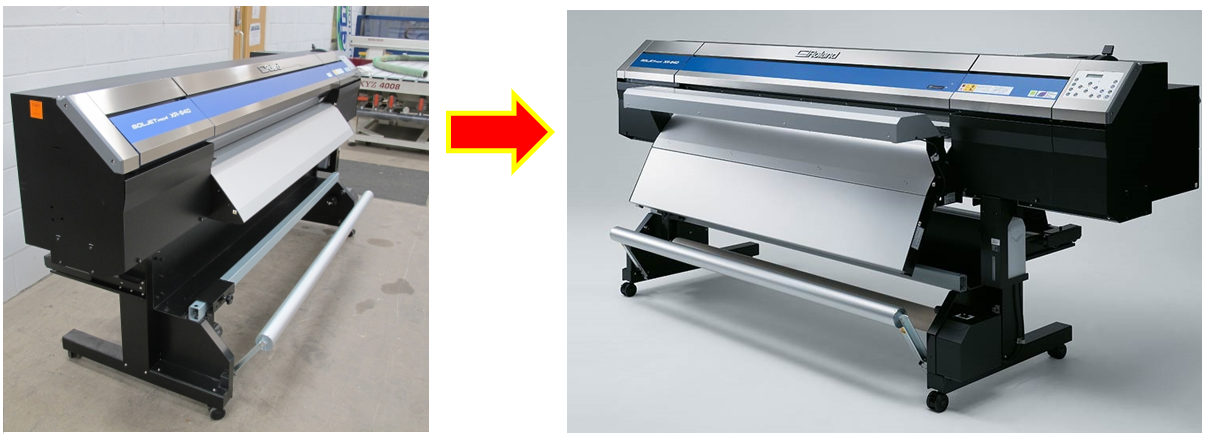
2.2 If an additional drying module is not available for the printer, a box fan to increase airflow in the print room.
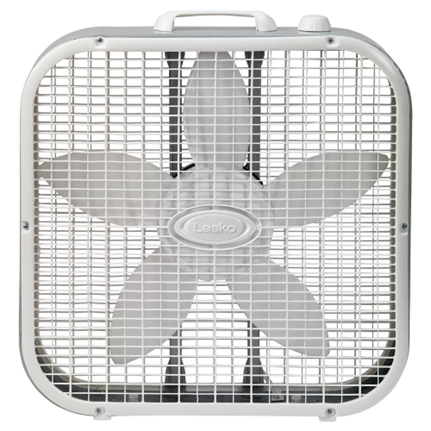
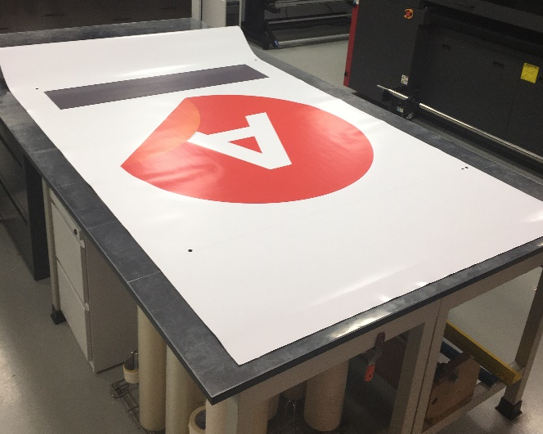
2.3 The idea is having the vinyl dry enough to be handled or roll into the take-up reel. Keeping the print room clean can avoid blowing up dust.
3.1 Proper outgas after printing
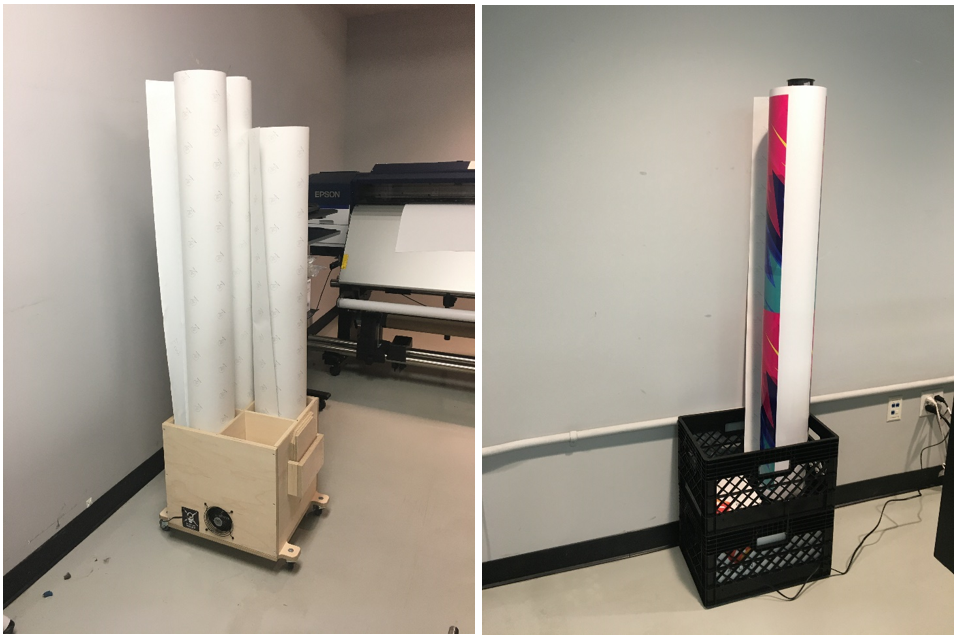
3.2 Use an outgassing device.
This method is ideal for roll‑to‑roll production, where continuous drying is required.
Examples shown:
- Left: Booster Box
- Right: A simple homemade outgassing box
These devices increase airflow and help remove residual solvents more efficiently, allowing prints to stabilize faster and more consistently.
Tensioning the vinyl may improve handling or alignment, but it does not help solvent escape. Proper outgassing still requires adequate time, airflow, and heat to ensure residual solvent fully evaporates.
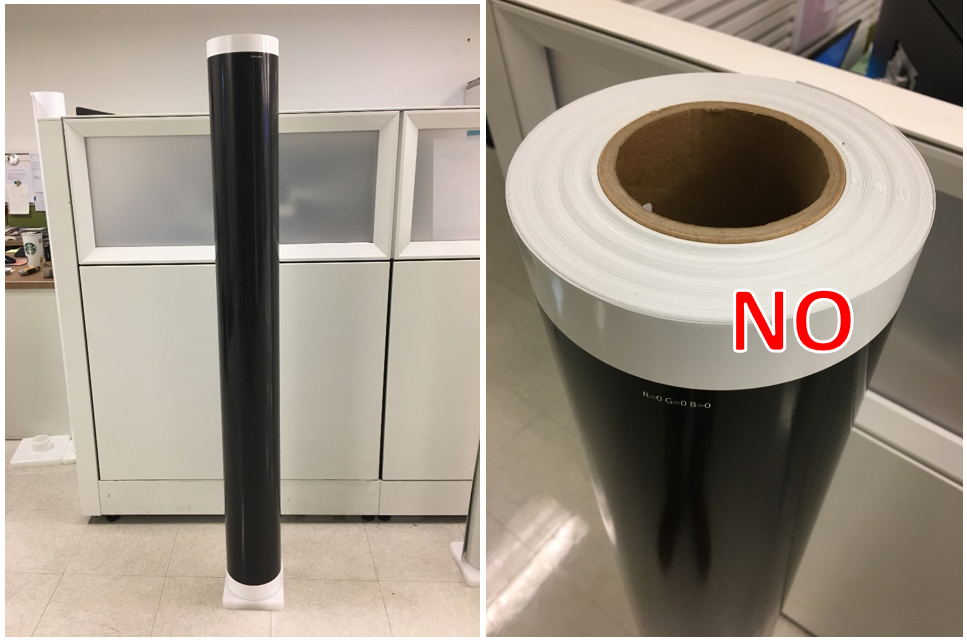
There is no single “magic” outgassing time that fits every print condition. Outgassing duration varies based on multiple factors related to ink load, print mode, airflow, humidity, and drying capability.
Below are key considerations that help determine the appropriate outgassing time for eco‑solvent prints.
Factors That Reduce Outgassing Time
- Low‑saturation graphics (light colors)
- Large or additional post‑heat modules that increase dwell time
- ICC profiles using high‑resolution, slower print modes, and higher post‑heat temperatures
- Low‑humidity environments (30–60%)
- High air circulation
- Using proper outgassing devices or procedures (vinyl loosened to allow airflow)
Factors That Increase Outgassing Time
- Highly saturated graphics (heavy ink loads such as RGB black or dark blues)
- Small post‑heat platens with limited drying area
- ICC profiles using low‑resolution, high‑speed modes, or lower post‑heat temperatures
- High‑humidity environments (60–99%)
- Low air circulation
- No outgassing procedure (vinyl kept tight or rolled, trapping solvent)